See your Planning Center people on a map
Planning Center knows every address in your congregation. FlockFinder's Planning Center Integration shows you where they are.
Start free trialThanks for reaching out!
We'll get back to you by email shortly — usually the same day.
- Read-only
- Never edits your people or groups in Planning Center.
- Stays in sync
- Changes arrive on their own through Planning Center webhooks.
- An add-on, not a replacement
- Planning Center stays your system of record.
What your congregation map shows you
- Who lives near a group host
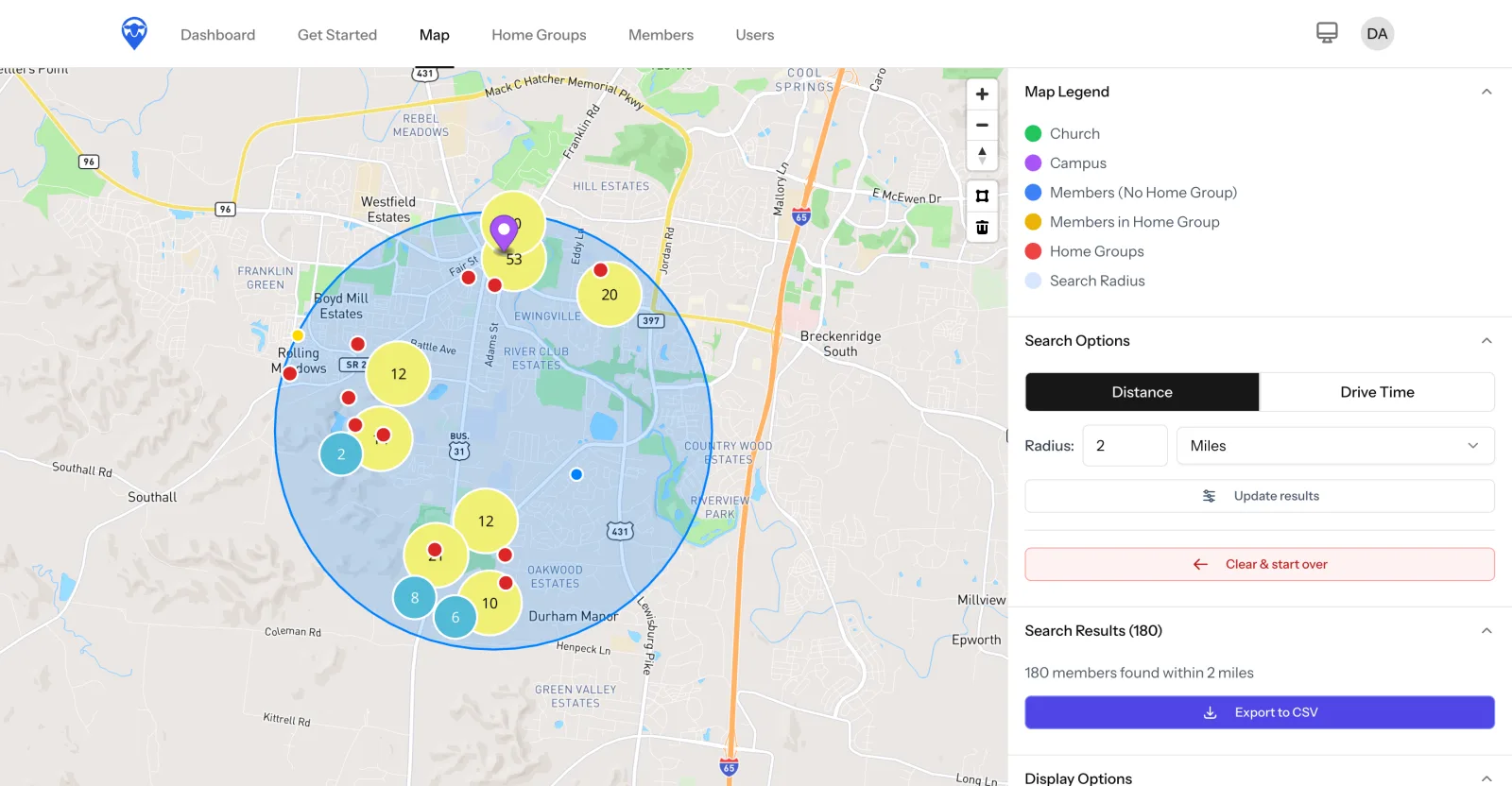
- Draw a radius around a prospective host's home to see everyone within a few miles, then export the list.
- Who isn't in a group yet
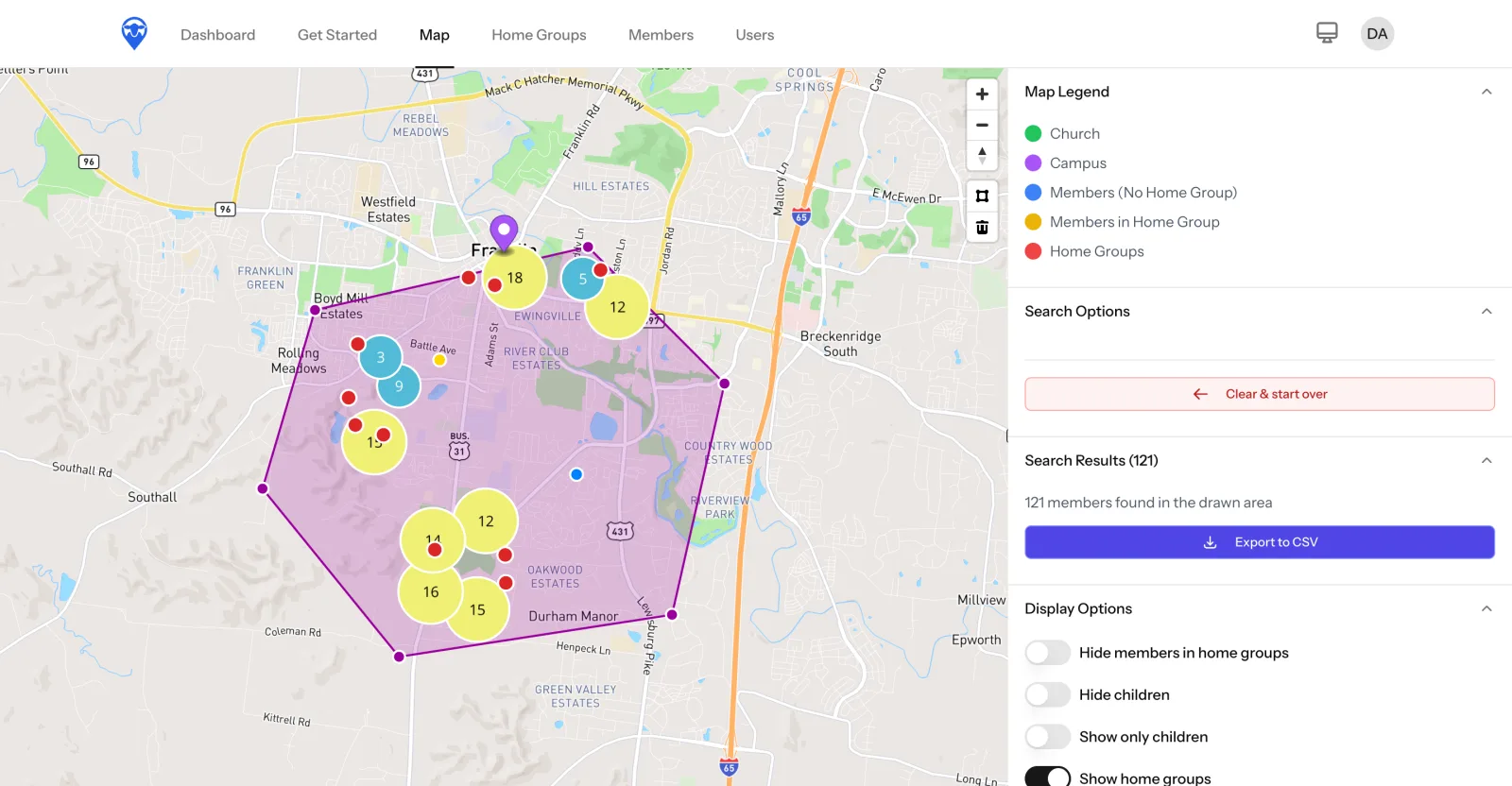
- Members without a group show in their own color, alongside the groups near them.
- One neighborhood at a time
- Draw any area to pull the people inside it, or filter the map by your Planning Center Lists.
How setup works
A FlockFinder admin connects Planning Center once. After that, changes flow in on their own.
-
1
Choose what FlockFinder may store
Before connecting, pick which optional details come over: phone numbers, email addresses, birthdates, gender, and children. Everything optional is off by default, and you can change it later.
-
2
Connect your Planning Center account
Sign in to Planning Center and approve access to People and Groups. Use a Planning Center account that can see both; being a Planning Center administrator does not always include access to Groups.
-
3
Let the first import run
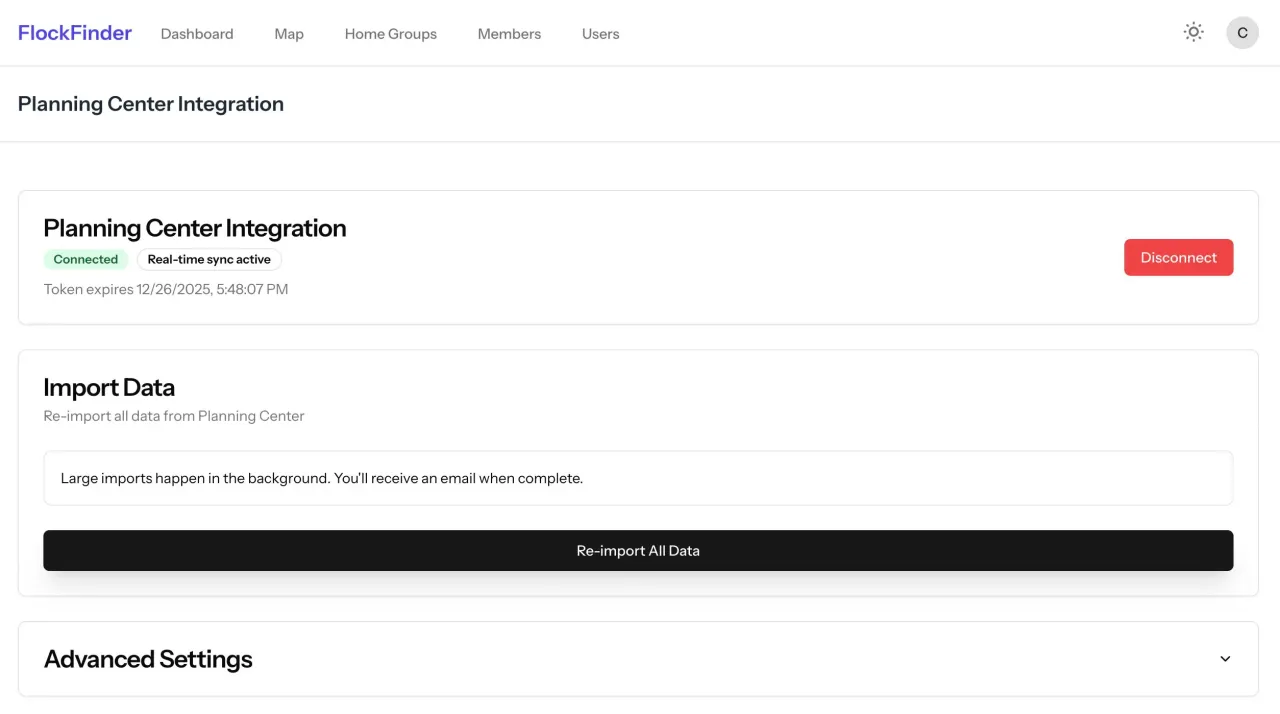
FlockFinder imports your people, campuses, and groups in the background and places each home address on the map. Large imports send an email when they finish.
-
4
Stay in sync automatically
FlockFinder subscribes to Planning Center webhooks, so additions, edits, and deletions in Planning Center arrive on their own. You can also re-import everything at any time.
What syncs
FlockFinder asks Planning Center for access to People and Groups only. It brings over what a map needs, and you choose whether anything else comes with it.
Always synced
What the map is built from.
- Names and home addresses
- Membership type and active or inactive status
- Campus
- Planning Center Lists, for filtering the map
On by default, can be turned off
For organizing groups by location.
- Groups
- Group membership, including leaders
Off unless you turn it on
Only stored when you choose to bring it in.
- Phone numbers
- Email addresses
- Birthdates
- Gender
- Children
- Custom fields (Premium)
People without a home address in Planning Center are imported but can't be placed on the map until an address is added.
You stay in control of the data
Children are excluded by default
People marked as children in Planning Center aren't imported at all unless an administrator turns it on. If someone is marked as a child later, their FlockFinder record is deleted. If you enable child syncing and then change your mind, every child record already copied is deleted.
Most denominations have child protection policies written before anyone had a member map. This is built so the map falls on the right side of yours without you having to configure anything.
- Planning Center stays the source
- FlockFinder reads from Planning Center and never edits your people or groups there. It does not request access to Giving, Check-Ins, Services, or other Planning Center products.
- Turning a field off removes it
- Switch off an optional field and it is cleared from every record, not just hidden.
- Deletions carry over
- When someone is deleted in Planning Center, they are deleted from FlockFinder too. You maintain one list, not two.
- Contact details are encrypted
- Street addresses, email addresses, and phone numbers are encrypted at rest. Only the people you invite to your FlockFinder account can see your data.
What it costs
Planning Center sync is included on Starter and Premium. Paid plans start with a free trial.
Free
$0 /month
Up to 100 members and 1 user. Import from a CSV file; Planning Center sync isn't included.
Starter
$19 /month
or $190/year
Planning Center sync, up to 500 members, 2 users.
Premium
$29.99 /month
or $299/year
Planning Center sync and custom fields, unlimited members, 10 users, drive-time search.
Planning Center integration FAQ
Does FlockFinder replace Planning Center?
No. FlockFinder is an add-on to Planning Center, not a replacement. Planning Center stays your system of record; FlockFinder reads from it to show where your people live and to organize groups by location.
Does Planning Center have a church member map?
Planning Center doesn't map where your people live. The usual workaround is to export a People list to a CSV file and load it into a tool like Google My Maps, but that map is a snapshot: it goes stale as soon as someone moves or joins a group. FlockFinder keeps your congregation map in sync with Planning Center People and Groups.
Does FlockFinder change anything in my Planning Center account?
No. The connection is read-only for your data: FlockFinder never edits your people or groups. The only thing it manages in Planning Center is its own webhook subscriptions, which tell it when something changes.
Which Planning Center products does FlockFinder use?
People and Groups. FlockFinder does not request access to Giving, Check-Ins, Services, or any other Planning Center product.
How do changes in Planning Center reach FlockFinder?
Through Planning Center webhooks. When a person, address, group, or list changes in Planning Center, Planning Center notifies FlockFinder and the change is applied automatically. Smart lists update on Planning Center's own refresh schedule.
Does FlockFinder import children?
Not unless you turn it on. People marked as children in Planning Center are skipped by default, and if you turn child syncing off later, every child record already copied is deleted.
Who can connect Planning Center?
A FlockFinder admin connects the account, signing in with a Planning Center login that can see both People and Groups.
Which plans include the Planning Center integration?
Starter ($19/month) and Premium ($29.99/month). The Free plan supports importing from a CSV file instead. Using Planning Center custom fields requires Premium.
Can I use FlockFinder without Planning Center?
Yes. You can import your people from a CSV file and re-import it whenever your list changes.
What happens if I disconnect?
Syncing stops right away. FlockFinder removes its webhook subscriptions and its access to your Planning Center account.
See your own congregation first
The free plan maps a CSV import, so you can see what your congregation actually looks like before connecting anything. Starter and Premium add the live Planning Center sync.
Start free trialThanks for reaching out!
We'll get back to you by email shortly — usually the same day.